
01654 live
Rendered
Industrial graphics, connected by design
Browse, configure, and export a connected library of HMI, SCADA, and P&ID symbols—without redrawing the plant for every visual style.
6 visual languages
Every pack has its own visual purpose. The equipment identity and catalog structure stay connected underneath—and the shelf grows without rewriting this page.
Rendered
HP P&ID
P&ID
Animated
Industrial

Isometric
Current shelf
One asset, multiple outcomes
Keep the equipment recognizable while command, feedback, alarm, quality, tagging, and indication communicate the operating condition.
Inside the product
Real product surfaces—not mock marketing chrome. Browse 6 live visual packs, configure equipment, and keep project assets organized.
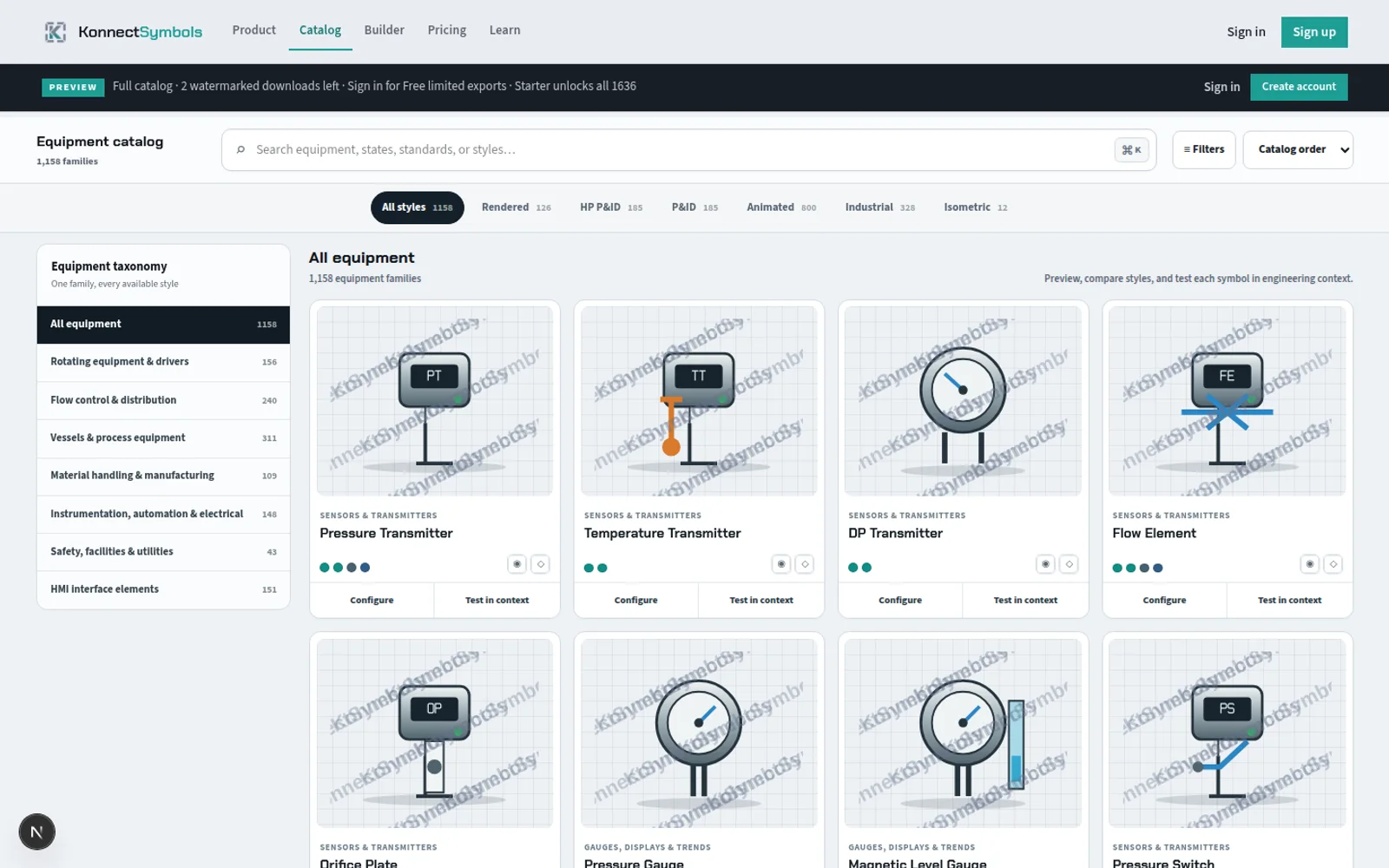
User catalog
Filter by pack, equipment class, and family—then open a live inspector without leaving the catalog workspace.
Open the catalog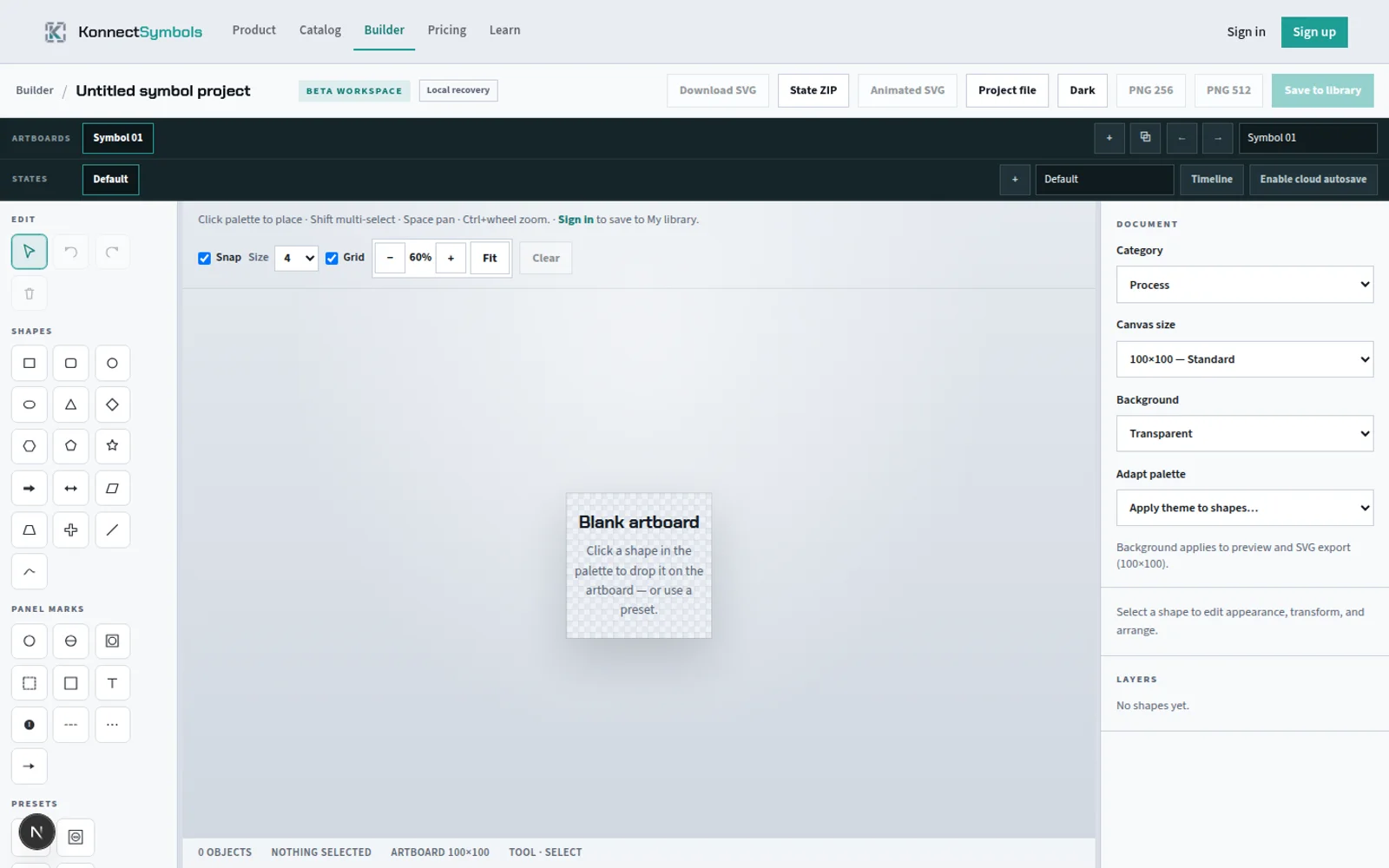
Vector builder
Multi-artboard industrial authoring with named states, panel marks, and export into your project shelf.
Try the builder
Private workspace
Signed-in users keep catalog saves, imports, and builder outputs in My library—with folders and cloud recovery for project work.
Open My libraryBrowse → customize → export
Start with proven equipment geometry, configure what the symbol supports, and validate the exported result in your engineering environment.
Search 2802 live symbols across 6 packs by equipment class, family, tag, and style.
Set state, indication, appearance, geometry, and tagging where available.
Choose a vendor-neutral file format and verify it in the target runtime.
Built for project work
Organize the files, preserve their source and license context, and build a repeatable project shelf.
Use SVG for scalable vector workflows, PNG for predictable raster delivery, spritesheets for indexed states, and ZIP for organized handoff.
Signed-in users can save catalog assets, create folders, import sanitized SVG or PNG artwork, and manage a private library.
Watermark-free exports may be used in HMI and SCADA projects within the current plan and catalog-license terms.
KonnectSymbols exports vendor-neutral files. No native compatibility with a named HMI or SCADA platform is implied.
Education and trust
Original articles on HMI practice, P&ID documentation, equipment states, and workflow.
Explore ReferencesApplied references, internal design studies, further reading, and explicit standards boundaries.
Explore SecurityPlain-language information about accounts, private assets, providers, and certifications not claimed.
Explore LicenseClear boundaries for evaluation files and watermark-free commercial project exports.
ExploreBefore you start
Yes. Guests can browse every live pack and evaluate a limited number of watermarked downloads before creating an account.
Industrial Rendered, High Performance P&ID, P&ID Schematic, Animated, Konnect Industrial, Konnect Isometric are live catalog packs with counts shown directly from the catalog.
KonnectSymbols supports SVG where the selected pack is vector-based, plus PNG, multi-state spritesheets, and grouped ZIP workflows where available.
No. Exports use vendor-neutral formats and should be validated in the exact engineering software and runtime used by the project.
Plans
Guest browsing and Free accounts are available during public beta with no payment card. Paid plans remain visible only as roadmap context.
Demo the catalog with no signup and no credit card. Limited live design builder as it ships today.
Full beta access — complete catalog, unlimited library and imports, and the live design builder. No card required.
Start with the real shelf